


Lumières, caméra, action : maîtriser votre configuration de vidéoconférence 3
In today’s interconnected world, video conferencing has transitioned from a niche business tool to an everyday essential. Whether you’re connecting with colleagues, attending a virtual class, or catching up with loved ones, a well-equipped video conference setup can make all the difference. Beyond just a working internet connection, optimizing your hardware and understanding the various components can significantly enhance your virtual presence.
The Core Components of a Stellar Video Conference:
At its heart, a video conference requires a few fundamental elements to function. Let’s break down the key players:
- The Computer/Device: This is your control center. Most modern laptops and desktops come equipped with built-in webcams and microphones, making them ready for basic video calls. However, for a more professional experience, you might consider external peripherals. Tablets and smartphones can also be excellent options for mobile video conferencing, offering flexibility and portability.
- The Camera (Webcam): Your camera is your window to the virtual world. While built-in cameras are convenient, an external webcam often provides superior image quality, better low-light performance, and a wider field of view. Look for cameras that offer at least 1080p resolution for crisp visuals. Some advanced webcams even include features like auto-focus, automatic light correction, and privacy shutters.
- The Microphone: Clear audio is paramount. If others can’t hear you, your message gets lost. Built-in microphones can be susceptible to background noise and echo. Dedicated external microphones, whether a USB desktop mic, a lavalier (clip-on) mic, or a headset, will dramatically improve your sound quality, making you sound more professional and ensuring your voice cuts through.
- The Speakers/Headphones: Just as important as being heard is being able to hear others clearly. Laptop speakers are fine for casual calls, but headphones or earbuds offer privacy and prevent echo. For group settings, a dedicated conference speakerphone can provide excellent sound distribution and pickup.
- Internet Connection: This is the backbone of your entire operation. A stable and fast internet connection is crucial for smooth video and audio. Aim for a broadband connection with ample upload and download speeds to avoid pixelation, freezing, and audio dropouts.
Beyond the Basics: Enhancing Your Setup:
Once you have the essentials covered, consider these additions to take your video conferencing to the next level:
- Lighting: Good lighting can transform your appearance. Avoid backlighting, which can make you look like a silhouette. Instead, position yourself facing a window or use a dedicated ring light or softbox to illuminate your face evenly.
- Background: Your background communicates professionalism (or lack thereof). Opt for a clean, uncluttered, and neutral background. Virtual backgrounds can be fun, but a real, tidy space is often preferred for formal meetings.
- Mounts and Tripods: For external cameras, a small tripod or monitor mount can help you achieve the perfect camera angle and stability.
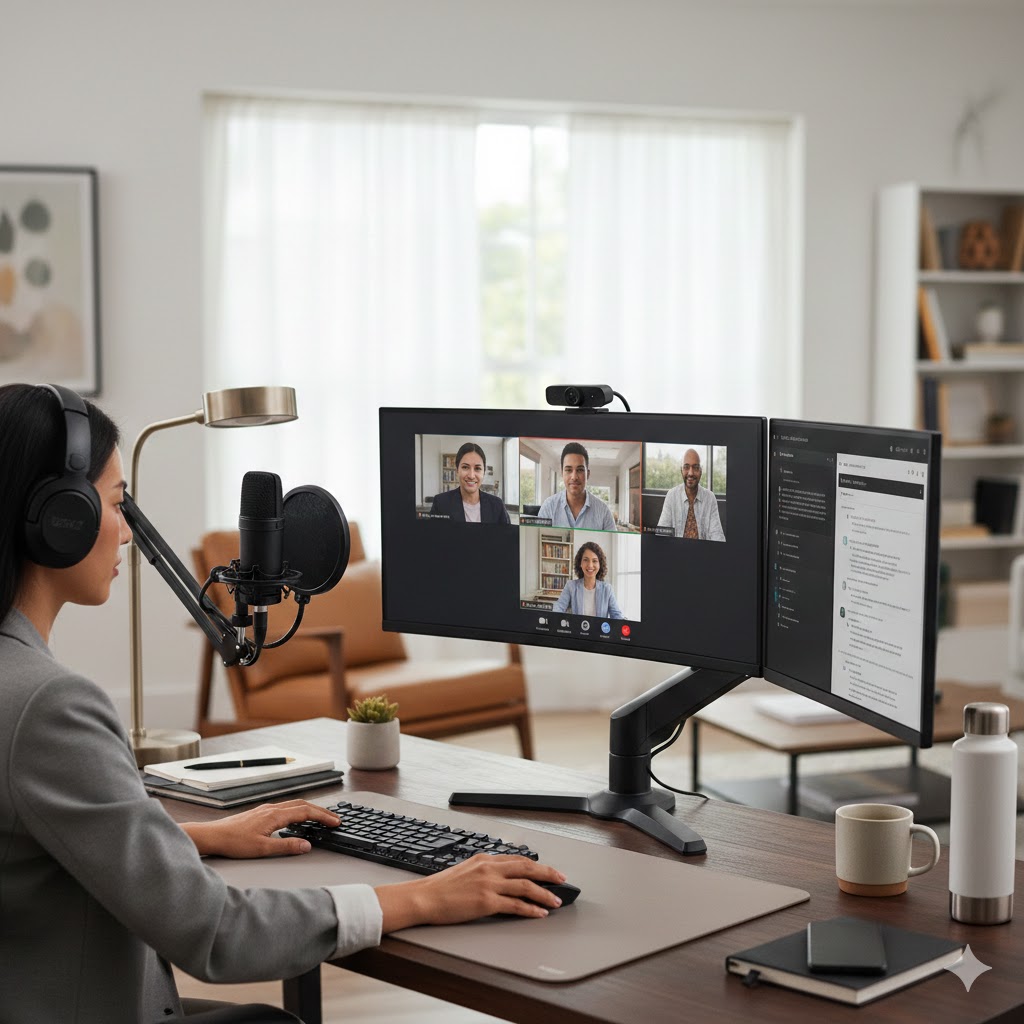
- Second Monitor: A second screen can significantly boost productivity, allowing you to view participants on one screen while sharing content or referencing notes on the other.
- Software and Platforms: Beyond the hardware, familiarize yourself with various video conferencing platforms like Zoom, Microsoft Teams, Google Meet, or Webex. Each has its own features, strengths, and integrations.
Setting the Scene:
Here’s an example of a well-equipped video conferencing desk setup:
Fusce vitae nibh mi. Integer posuere, libero et ullamcorper facilisis, enim eros tincidunt orci, eget vestibulum sapien nisi ut leo. Cras finibus vel est ut mollis. Donec luctus condimentum ante et euismod.
Pellentesque habitant morbi tristique senectus et netus et malesuada fames ac turpis egestas. Suspendisse eget facilisis odio. Duis sodales augue eu tincidunt faucibus.
Sed id tincidunt sapien. Pellentesque cursus accumsan tellus, nec ultricies nulla sollicitudin eget. Donec feugiat orci vestibulum porttitor sagittis.